
Download and installation paths for indobetpoker
We provide three ways to access indobetpoker: Android APK download, iOS web app, and desktop browser. Choose the option that matches your device.
Android users download the APK file directly from our website. The file installs on your device without requiring Google Play Store access. iOS users open indobetpoker in Safari or Chrome and add it to their home screen as a web app. Desktop users simply visit indobetpoker.app in any browser.

Installation steps for indobetpoker
-
Download the APK or open the web app
Android users download the indobetpoker APK from our website; iOS and desktop users open indobetpoker.app in their browser.
-
Install or add to home screen
Android users tap the downloaded file to install; iOS users tap Share and select Add to Home Screen; desktop users bookmark the site.
-
Register or log in to your account
New users provide email, phone, and date of birth; existing users enter their login credentials.
-
Verify your identity and deposit
Upload a photo ID and proof of address, then choose a payment method to fund your account.
All platforms use the same account
Your indobetpoker account works across Android, iOS, and desktop. Your balance, bets, and withdrawal history sync automatically. You can switch between devices without logging out.
App versus browser: what you get on indobetpoker
The indobetpoker app and web browser offer similar features, but the app provides offline caching, push notifications for live matches, and faster load times. The app stores recent market data locally, so you can view football odds and casino games even if your connection drops briefly. Push notifications alert you when Liga 1 matches start, when your withdrawal is processed, or when a promotion applies to your account. The app also loads faster because it caches images and layout data. Browser access works equally well for deposits, withdrawals, and account verification, but requires an active internet connection and refreshes the page each time you navigate.
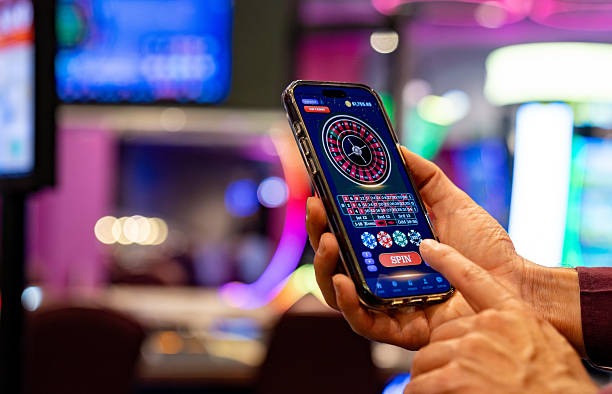
Device compatibility for indobetpoker
The indobetpoker app requires Android 7.0 or later. Most phones released in the last five years meet this requirement. iOS users need iOS 12 or later to use the web app. Desktop browsers including Chrome, Firefox, Safari, and Edge all support indobetpoker. We recommend keeping your device updated to the latest operating system version for security and performance.
Troubleshooting common indobetpoker installation issues
If the APK file does not install on Android, check that your device allows installation from unknown sources. Go to Settings, Security, and enable Unknown Sources. Some devices call this Install Unknown Apps. You may also need to trust the indobetpoker certificate. If your browser shows a security warning, click Details and select Trust This Certificate. If the app crashes after installation, clear the app cache by going to Settings, Apps, indobetpoker, and tapping Clear Cache. If you cannot download the APK, check your internet connection and try again. If the web app does not load on iOS, clear your browser cache by going to Settings, Safari, and tapping Clear History and Website Data.
We at indobetpoker keep your app secure and your account data protected across all platforms.
Data, permissions, and account security on indobetpoker
The indobetpoker app requests permission to access your device's storage, camera, and microphone. Storage permission allows the app to cache market data and game images. Camera permission is optional and only used if you choose to upload a photo ID for account verification. Microphone permission is not required for normal use. We use industry-standard encryption to protect your login credentials and payment information. Your account data is encrypted in transit and at rest. We do not share your personal information with third parties except payment processors and legal authorities. You can review our full privacy policy for details on how we handle your data.